Your stamp cards, in your wallet. No app needed.
Scan the code at the counter and your loyalty card lands in Apple Wallet or Google Wallet. Stamps add up on their own, and the reward shows up on your phone when you’ve earned it.
- No app
- No password
- Free for you, always
Optional: get the free Rewardtree app to keep every card in one place.


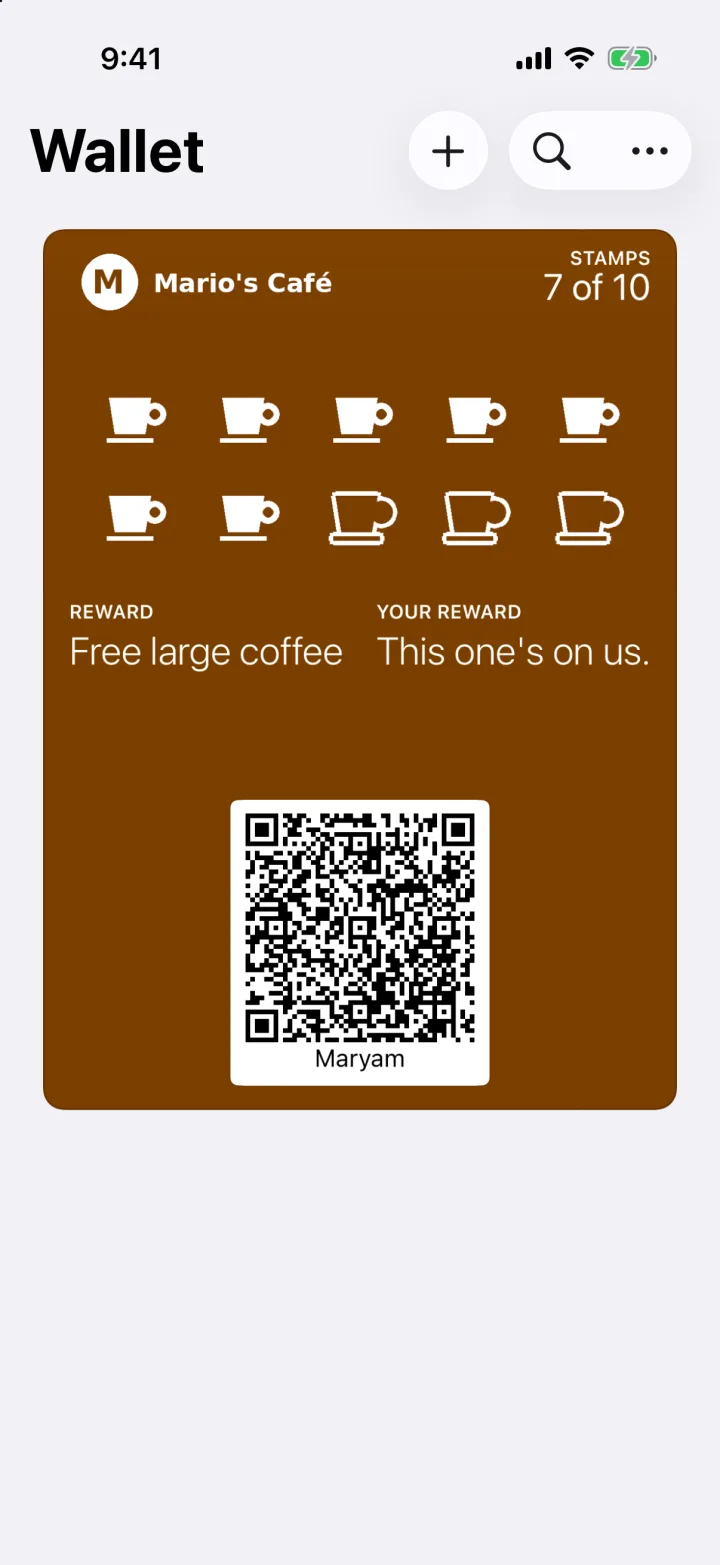
Your card in Apple Wallet. The stamps fill in on their own, and Google Wallet works the same way.
Three steps, about 20 seconds.
-
Scan the QR at the counter
It opens the business's join page in your phone's browser. Type your first name and mobile number; we text you a code to confirm it's you. About 20 seconds.
-
Tap "Add to Apple Wallet" or "Add to Google Wallet"
Your card lands in the wallet already on your phone, with the business's name and your stamps on it. Nothing to install, no password to remember.
-
Show your card when you buy
Staff scan it with their Rewardtree Merchant app (you never need an app) and the stamp appears on your card in seconds. Reach the reward and your card tells you it is unlocked. Show it, and this one's on us.
Looking for somewhere to start? Find loyalty near you or see what’s trending this month.
Want everything in one place? Get the free Rewardtree app.
Your cards already work from your wallet. The app adds a few nice things on top.
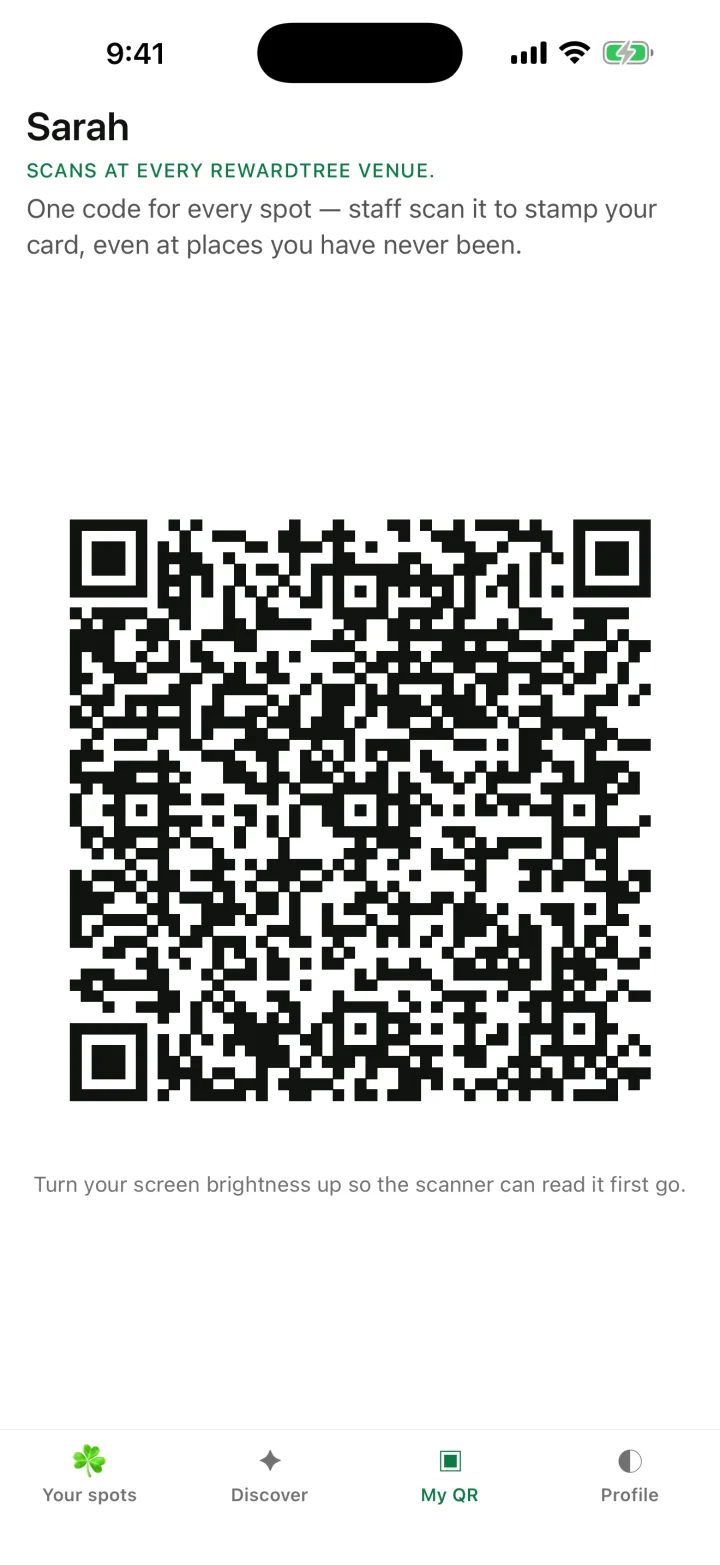
My QR, the first screen you see in the app: one code that works at every Rewardtree counter.
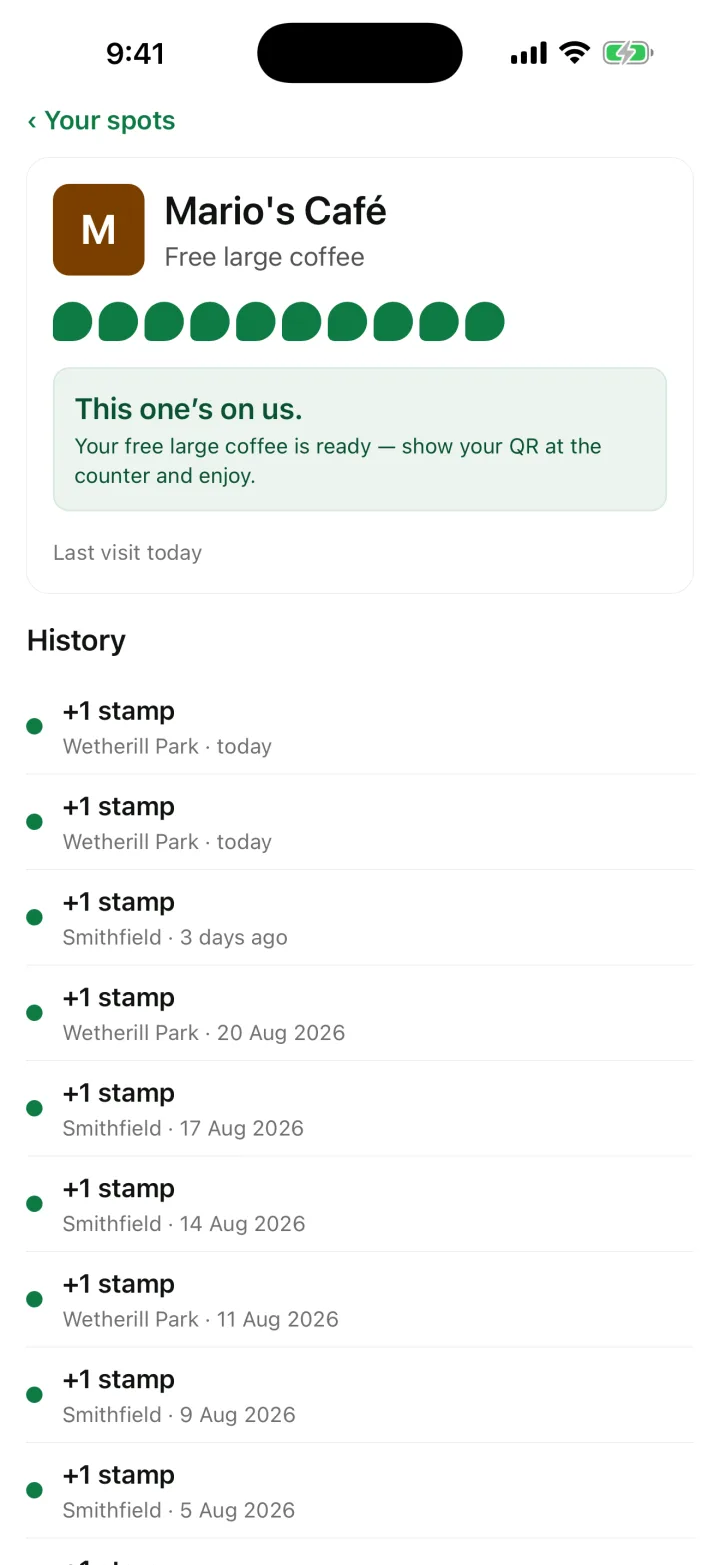
One card up close: your stamps, the reward, and a history of your visits.
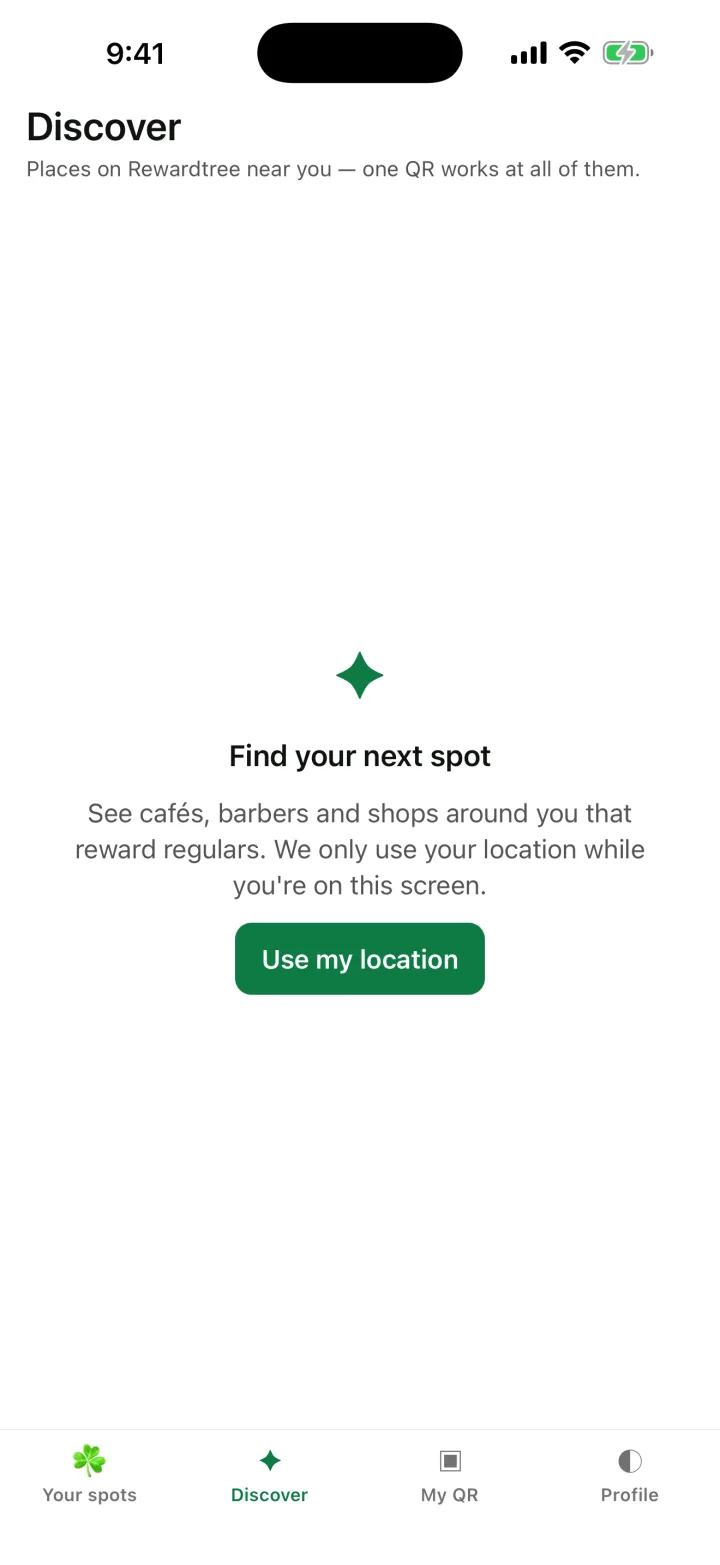
Discover: places near you that run Rewardtree. One QR works at all of them.
Every card in one place
All your Rewardtree cards, from every business you’ve joined, on one screen with the stamps and rewards on each.
Join from inside the app
Found a place you like? Tap Join and your card is ready, no QR needed.
Find places near you
See which businesses near you run Rewardtree, by your location or a suburb search. On the web, the same lives at Find loyalty near you and Trending.
The app is optional. Your cards already work from Apple Wallet or Google Wallet without it, and nothing changes if you never install it.
Your privacy, in three sentences.
A business only ever sees your activity at its own venues, never where else you shop.
Marketing messages reach you only if you ticked the box when you joined, and that box is never ticked for you.
You can change your mind any time: switch marketing off or delete your account at rewardtr.ee/manage (here is how deleting works), and to leave one business’s program just email [email protected] with its name.
The full Privacy Policy says the same thing in more words.
Good questions.
Do I need the app?
No. Your card lives in Apple Wallet or Google Wallet and works there on its own. The free Rewardtree app is optional: it puts every card you hold on one screen and lets you find and join places from your phone.
Does it cost anything?
Nothing, ever. Joining, collecting stamps and claiming rewards are free for customers, and so is the app. There is no catch coming later.
Which phones does it work on?
iPhone uses Apple Wallet and Android uses Google Wallet, so almost every phone is covered. If yours has neither, the join page offers "No wallet? Open your card in the browser", and your card works from there instead.
What if I lose my phone or get a new one?
Your cards live with your mobile number, not your phone. Open the business's join link again (the QR on their counter, or rewardtr.ee/their-name), confirm your number by text, and your card comes back with every stamp on it. Got a new number? Your cards stay with the number you joined with, so scan the counter QR again and a fresh card starts on the new number. If something looks wrong, email [email protected]. Support →
How do I stop messages?
Go to rewardtr.ee/manage, sign in with your mobile number, and untick "Businesses I've joined may send me offers and news". That switches marketing off from every business at once, immediately. The texts that confirm your number and the updates on your card are part of the card working, not marketing, and keep working either way. Manage your card →